


.png)
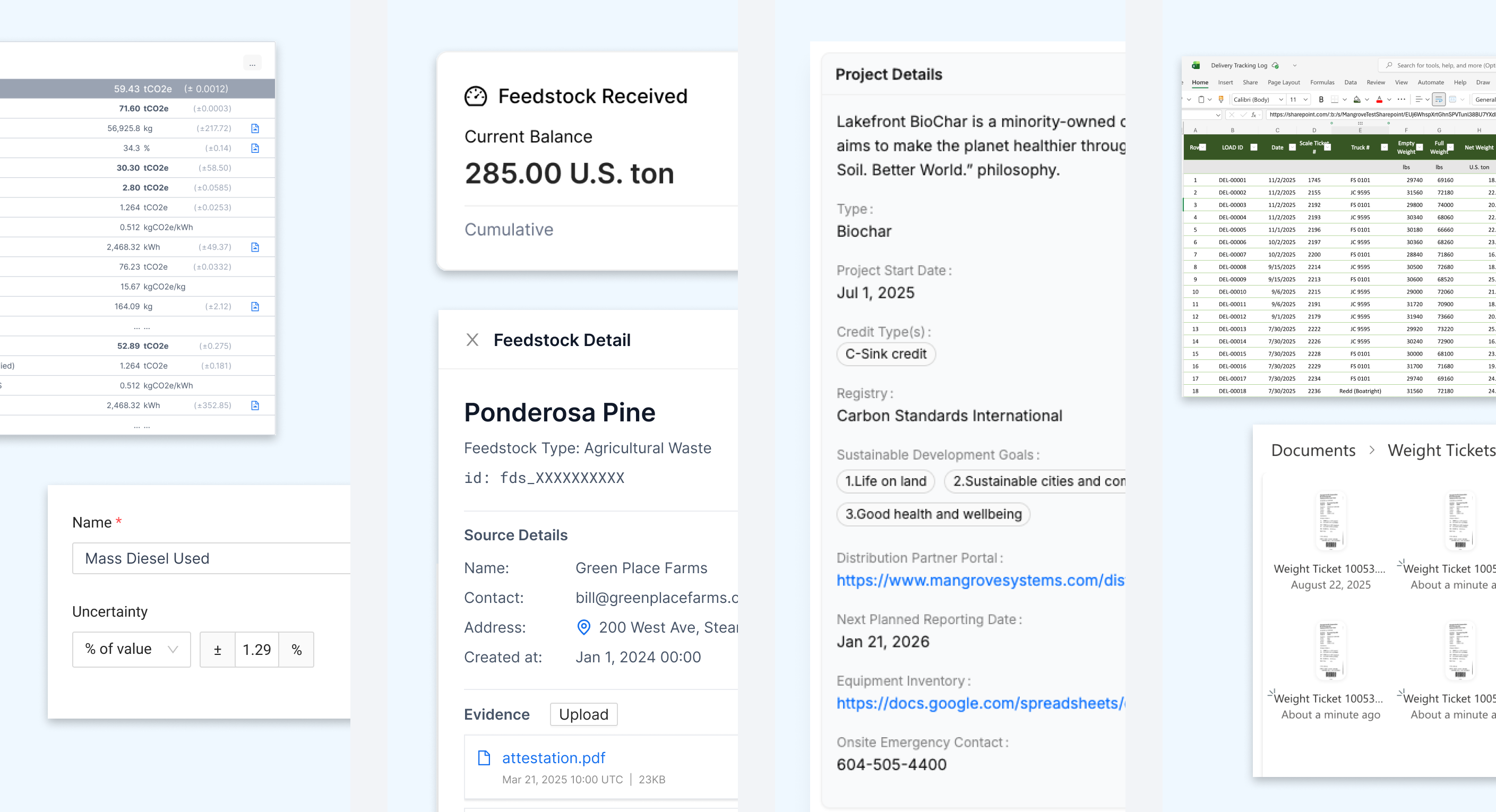
Mangrove now enables users to set uncertainty on collected data points – the uncertain data automatically propagates through model calculations during quantification. Uncertainty can be set as either absolute values (such as absolute variance on each weighscale reading) or percentages (such as a % meter uncertainty on all electricity meter readings). The input settings and the accounting propagation ensures that measurement uncertainty is tracked and quantified at every step of the process.
Uncertainty in Mangrove employs mathematically rigorous methods tailored to different calculation operations and equations within the project’s methodology. For certain complex uncertainties, users can override the Mangrove-calculated values with their own adjustments based on their own project-specific calculations. With uncertainty accounting, Mangrove delivers the transparency that is required from the most rigorous of methodologies.
Example use cases:
Read more about Uncertainty here.
.png)
Mangrove now allows projects to track feedstocks and run accounting based on specific feedstock types. Feedstocks can be created and managed directly within each project, giving teams the flexibility to track multiple feedstock sources throughout their operations. Each feedstock can optionally be categorized by feedstock type—such as agricultural waste, manure, or other organic materials—enabling clear organization and identification. Feedstocks are uniquely identified within a project, ensuring accurate tracking and preventing data conflicts across different feedstock sources.
The feedstock tracking feature seamlessly integrates with Mangrove's event data collection and carbon accounting systems. During data collection, feedstocks can be associated with events, allowing teams to attribute operational activities to specific feedstock sources. Production accounting models can be configured to partition calculations by feedstock, enabling separate carbon accounting runs for each feedstock type. This partitioning capability ensures that credits of all types are calculated accurately based on the unique characteristics and processing methods of each feedstock. Users can filter events, data points, and production accounting batches by feedstock, providing powerful analytical capabilities for understanding the carbon impact of different feedstock sources.
Example use cases:
Read more about Feedstocks here.
.png)
Projects run on essential data—like verifier details, equipment specifications, and external IDs—that often resides outside core MRV data flows. This critical information is frequently buried in scattered documents or spreadsheets, making it difficult to find and keep up to date. Custom Fields for Projects solves this by consolidating all relevant project data directly into Mangrove, establishing a single source of truth and eliminating the risk of fragmented or outdated information.
Mangrove users can track these custom fields directly from the Project’s overview dashboard. Admins define new fields along with their visibility at the account level, and then activate them on relevant projects. Fields values can be text, dates, or links to external resources like SharePoint or Google Sheets. Custom Fields are also accessible via the API, making it easy to keep project data in sync with other systems. The result is that projects can now use Mangrove not only as their MRV solution, but also as the single source of truth and central navigation hub for all data and external resource links.
Example use cases:
Read more about Custom Fields here.
.png)
Many project teams maintain critical data in Excel spreadsheets stored in SharePoint and Office 365—tracking everything from monitoring results to stakeholder information. Now, you can automatically sync that data into Mangrove, eliminating manual data entry, reducing errors, and ensuring your project information stays up-to-date across both systems. This means less time copying and pasting, and more time focusing on what matters: advancing your carbon credit and sustainability projects.
Getting started with Excel Online and SharePoint syncing requires custom configuration tailored to your project's specific data structure. Reach out to your Mangrove representative to learn more.


